HOW-TO · LINUX · PROTON · NOT TESTED WITH AN NVIDIA GPU
NVIDIA Profile Inspector on Linux: the alternatives that work
NPI is a Windows tool that edits NVIDIA's Windows driver database, so it does not work on Linux, even under Wine. For games running through Proton, DXVK-NVAPI can take driver settings such as the DLSS preset override from the DXVK_NVAPI_DRS_SETTINGS environment variable in the game's launch options. For native OpenGL games, NVIDIA's Linux driver has its own application profiles.
You need
- GPU
- NVIDIA RTX with the proprietary driver
- Proton
- 9.0 or newer (includes DXVK-NVAPI)
- Time
- 10 minutes
Can NPI run in Wine or Proton?
Not usefully. We tried it in our lab, on a Linux machine with no NVIDIA GPU. LAB · F48, F49, F50
| Setup | Result | Status |
|---|---|---|
| Wine with .NET Framework 4.8 (winetricks) | NPI 3.x starts, draws its window correctly and shows "No compatible NVIDIA Driver was detected on your system. Your NVIDIA GPU might be disabled." | partial |
| Wine with DXVK-NVAPI v0.9.3 as nvapi64.dll, no NVIDIA GPU | The DXVK-NVAPI log says it could not find a suitable device and NPI shows the same no-driver message. | broken |
| -mock (demo mode) under Wine | No window within 75 seconds, nothing on the console, in two runs. Cause not found. | broken |
| NPI on a Linux PC with an NVIDIA GPU | Not tested: the lab has no NVIDIA GPU. | untested |
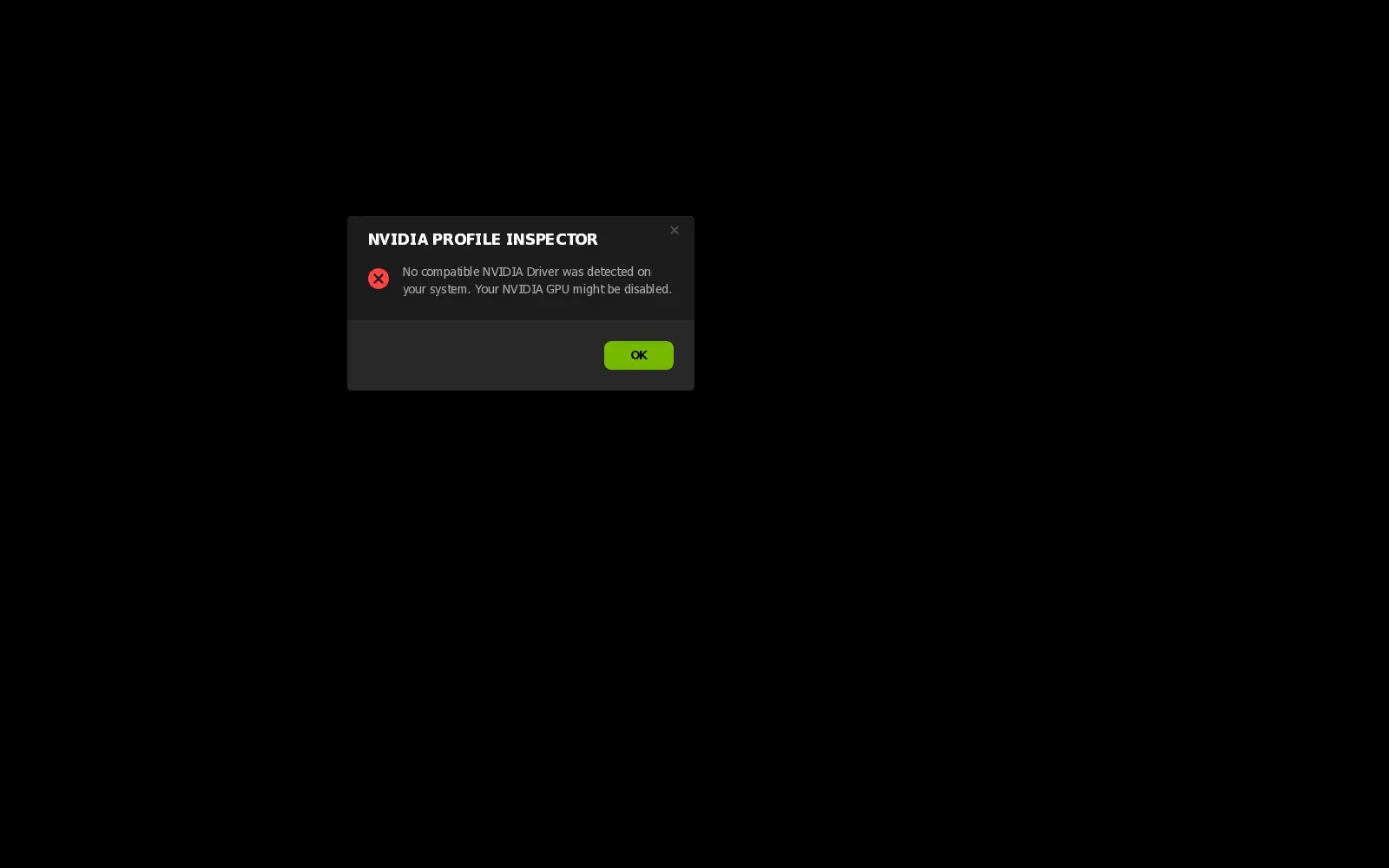
NPI 3.x under Wine with .NET Framework 4.8 installed. The window renders correctly and shows the same no-driver message as on Windows without a driver.
lab · build · no NVIDIA GPU · 2026-11-08 LAB · UI · NO NVIDIA GPU (mock mode)
The reason is structural. NPI edits NVIDIA’s profile database through NVIDIA’s NVAPI library, which ships inside the Windows driver. On Linux, DXVK-NVAPI provides a small translation of the NVAPI calls that games make, mostly for DLSS and Reflex. It is not that database, and its own README says it is for games. OFFICIAL · DXVK-NVAPI README Whether NPI could edit anything through it on a PC with an NVIDIA GPU we could not test, so do not plan around it.
Force a DLSS preset in Proton (DXVK-NVAPI)
Proton 9.0 and newer include DXVK-NVAPI and enable it by default for most games, and PROTON_FORCE_NVAPI=1 force-enables it for a game that has it off.
OFFICIAL · DXVK-NVAPI README, Proton README DXVK-NVAPI can pass driver setting values to the game through DXVK_NVAPI_DRS_SETTINGS. The README gives the format: setting=value pairs separated by commas, where both are unsigned 32-bit numbers that may start with 0x. Only DWORD values are supported. Its own example overrides the DLSS Super Resolution and Ray Reconstruction presets to latest with 0x10E41DF3=0xffffff,0x10E41DF7=0xffffff.
Those two IDs are the same ones NPI shows as ↗ (DLSS - Forced Preset Letter) and ↗ (DLSS-RR - Forced Preset Letter). So the preset values in the preset guide and the DLSS override page carry over: preset K is 0x0000000B, preset L is 0x0000000C, and 0x00FFFFFF means “use recommended preset”.
CODE · settings.json
DXVK_NVAPI_DRS_SETTINGS=0x10E41DF3=0xb %command%
DXVK_NVAPI_DRS_SETTINGS=0x10E41DF3=0xffffff,0x10E41DF7=0xffffff %command%
Only the second line is DXVK-NVAPI’s own example. The first uses the same syntax with preset K’s value from NPI’s data, so treat it as untested. untested Whether a given game honours the preset is the same open question as on Windows.
Map from NPI to the Linux variable
| NPI setting | Name in the README | Variable form |
|---|---|---|
| ↗ | NGX_DLSS_SR_OVERRIDE_RENDER_PRESET_SELECTION | DXVK_NVAPI_DRS_SETTINGS=0x10E41DF3=<value> |
| ↗ | NGX_DLSS_RR_OVERRIDE_RENDER_PRESET_SELECTION | DXVK_NVAPI_DRS_SETTINGS=0x10E41DF7=<value> |
| ↗ | NGX_DLSS_SR_OVERRIDE | DXVK_NVAPI_DRS_SETTINGS=0x10E41E01=1 |
The README also lists these names and says each can be given in text form or as its own variable, for example DXVK_NVAPI_DRS_NGX_DLSS_FG_OVERRIDE=on. We did not test the text forms, so the table sticks to the numeric form that the README’s example proves out.
OFFICIAL · DXVK-NVAPI README (latest tag v0.9.3) The variable names and accepted values follow the current README; check it again before relying on them, as DXVK-NVAPI changes.
Verify it
- Set
DXVK_NVAPI_LOG_LEVEL=infoto print what DXVK-NVAPI does, andDXVK_NVAPI_LOG_PATHto write a log file. OFFICIAL · DXVK-NVAPI README - Check the preset itself with the DLSS indicator, which is a Windows registry setting. Whether it works the same way under Proton is not covered by our tests, see the indicator page.
- To undo, remove the variable from the launch options.
Other settings through DXVK-NVAPI
The README lists named settings such as NGX_DLAA_OVERRIDE, NGX_DLSS_FG_OVERRIDE and NGX_DLSS_SR_OVERRIDE_SCALING_RATIO, and says arbitrary DWORD settings by ID are accepted. We verified none of them. A frame cap is not on that list.
Native Linux games: NVIDIA application profiles
NVIDIA’s Linux driver has its own application profile system, separate from the Windows database. It is configured in nvidia-settings on the “Application Profiles” page, or by files. The driver looks in $HOME/.nv/nvidia-application-profiles-rc, the .rc.d directory next to it, /etc/nvidia/nvidia-application-profiles-rc and a file under /usr/share/nvidia.
OFFICIAL · NVIDIA Linux README 595.104.02
The NVIDIA README’s own example rule matches a program by name and sets one key:
{
"rules" : [
  { "pattern" : "glxgears", "profile" : [ "GLSyncToVBlank", "1" ] }
]
}
Settings from application profiles beat global nvidia-settings values but lose to environment variables. Support is currently for the GLX (OpenGL) driver only, so this does not reach Vulkan or Proton games. We did not run a rule, as the lab has no NVIDIA GPU. The README maps key names such as GLThreadedOptimizations and GLShaderDiskCache to environment variables, so check it for the keys you need.
OFFICIAL · NVIDIA Linux README 595.104.02
Frame caps and latency on Linux
DXVK has a limiter, dxgi.maxFrameRate for D3D11 and D3D10 and d3d9.maxFrameRate for D3D9, set in dxvk.conf or through DXVK_CONFIG, for example DXVK_CONFIG=“dxgi.maxFrameRate = 141”. Its own file says not to use it when an external limiter is available: MangoHud or Gamescope limiters give a better experience.
OFFICIAL · dxvk.conf, DXVK v3.1.1 We tested none of these. For how to choose a cap value, see the G-SYNC and low latency page.
Windows dual-boot users
Windows and Linux use different drivers and different profile stores, so NPI changes made on Windows do not carry to Linux or back. Keep a .nip backup for your Windows install, and keep your Linux launch options in a note.
Questions people ask
Does NVIDIA Profile Inspector work on Linux?
No. NPI needs NVIDIA's Windows driver library, nvapi. In our lab it did start under Wine once .NET Framework 4.8 was installed, but it then showed the message that no compatible NVIDIA driver was detected, even with DXVK-NVAPI installed. Nothing it could edit was reachable.
Can I force DLSS presets on Linux?
For Proton games, DXVK-NVAPI documents a variable, DXVK_NVAPI_DRS_SETTINGS, that takes the same setting IDs NPI shows. Its README example sets the Super Resolution and Ray Reconstruction presets to latest. We could not run it, as the lab has no NVIDIA GPU.
Does NPI work in Wine or Proton?
It starts under Wine with .NET Framework 4.8 and renders its window, but it cannot edit profiles because there is no NVIDIA driver database behind the translation layer. Demo mode opened no window in our Wine runs.
Is there an NVIDIA Profile Inspector alternative for Linux?
Not one with the same scope. For Proton games use DXVK-NVAPI variables, for native OpenGL games use NVIDIA's application profiles in nvidia-settings, and for frame caps use MangoHud or Gamescope.
Sources
- DXVK-NVAPI README (environment variables github.com · accessed 8 Nov 2026 · upstream
- Proton README (configuration options) github.com · accessed 8 Nov 2026 · upstream
- DXVK configuration file (frame rate limiter) github.com · accessed 8 Nov 2026 · upstream
- NVIDIA Linux driver README download.nvidia.com · accessed 8 Nov 2026 · official